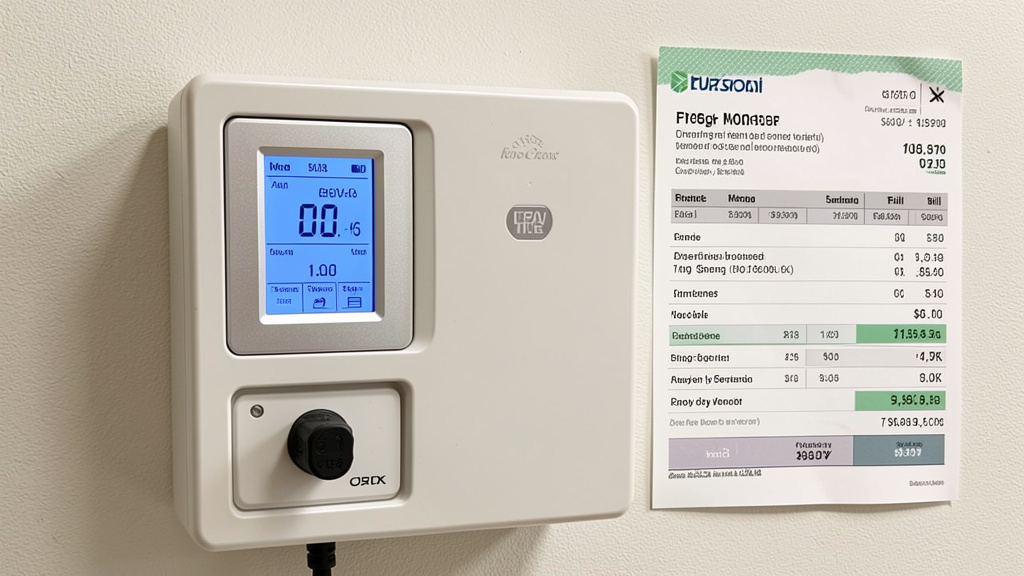
Stop guessing where your power goes. Start knowing—with a system that transforms confusing kilowatt-hours into clear insights to support informed decisions about comfort, efficiency, and home management.
Ever opened your monthly energy statement and felt a wave of confusion? You see the total due, the kilowatt-hours used, maybe a cryptic graph—but why did usage shift last Tuesday? Which appliance contributes most to baseline demand while you sleep? Is your new heat pump operating within expected parameters? You’re not alone. Millions of households navigate energy use with limited visibility into their most consistent utility expense. This guide dismantles the mystery of home energy monitoring from the ground up. We’ll walk you through selecting appropriate tools for your home and goals, interpreting data with practical clarity, avoiding common pitfalls, and transforming insights into sustainable habits. No engineering degree required—just curiosity and the desire to understand your home better. By the final section, you’ll possess a personalized framework to thoughtfully observe the energy flowing through your living space.
Introduction: Why Awareness Is Your Most Undervalued Home System
Imagine driving a car with a fuel gauge that only updates once a month—and when it does, it simply states, “You used 15 gallons.” No warning light when you’re low. No insight into whether aggressive acceleration or highway cruising consumed more. No ability to correlate a specific trip with fuel use. You’d feel powerless, right? Yet this is precisely how most homes operate with electricity. The monthly bill is a rearview mirror snapshot, not a real-time dashboard. It reports what happened but reveals almost nothing about why or how to improve.
This information gap has tangible implications. Analyses of anonymized smart meter data across diverse housing stocks consistently indicate that households without granular monitoring often overestimate the impact of visible actions (like turning off lights) while underestimating the cumulative effect of “always-on” devices, HVAC cycling patterns, or phantom loads from entertainment centers and kitchen appliances. Utility-sponsored evaluations involving thousands of homes have observed that residents gaining access to circuit-level monitoring frequently achieve measurable reductions in baseline consumption within several months—not through major renovations, but by identifying and addressing specific, previously unnoticed usage patterns. Research published in journals like Energy Policy notes that behavioral adjustments guided by clear data feedback can yield meaningful results, particularly when paired with targeted, comfort-preserving changes.
This isn’t about austerity or living in the dark. True energy awareness empowers you to align your home’s operation with your values, budget, and comfort preferences. It means confidently exploring questions like: Is this new refrigerator operating efficiently? Would shifting dishwasher use align better with my utility’s rate structure? Is my water heater cycling more frequently than expected? It transforms energy from a vague monthly line item into a manageable aspect of home stewardship you can observe and thoughtfully optimize. Whether you live in a century-old craftsman, a modern townhouse, or a suburban ranch, the principles of observation, contextual interpretation, and intentional action apply universally. This guide synthesizes widely recognized technical standards, utility practices, behavioral insights, and implementation patterns into a cohesive framework designed specifically for the homeowner—not the engineer. We begin not with gadgets, but with mindset.
The Awareness Triad Framework: Capture, Contextualize, Change
Forget fragmented tips. Sustainable energy understanding follows a predictable three-phase cycle. Skipping any phase often leads to frustration, abandoned tools, or misdirected efforts. This framework—Capture, Contextualize, Change—forms the backbone of a resilient monitoring practice. It aligns with methodologies referenced by energy efficiency programs like ENERGY STAR® and the U.S. Department of Energy’s Home Energy Score protocol, adapted for continuous, homeowner-led application. Master this cycle, and you cultivate lasting clarity about your home’s energy behavior.
Phase 1: Capture – Gathering Clean, Actionable Data
Data is only useful if it’s accurate, accessible, and appropriately scoped. Capture is about selecting the right data stream for your goals and ensuring its reliability. Think of this as thoughtfully installing the sensors on your home’s observational dashboard.
Understanding Measurement Tiers: Precision vs. Practicality
Not all monitoring serves the same purpose. Your choice depends on your primary question:
– “Roughly how much does my window AC unit consume?” → Plug-in monitor suffices.
– “Why did my usage shift noticeably this billing cycle?” → Whole-home monitor provides essential context.
– “How does my solar production correlate with specific home loads?” → Requires integrated production + consumption monitoring.
| Monitoring Tier | Best For | Typical Cost Range | Data Granularity | Installation Complexity | Key Consideration |
|---|---|---|---|---|---|
| Plug-In / Appliance Monitors | Validating single-device usage (fridge, server, space heater) | $15 – $50 | Device-specific watts/kWh | Very Low (plug and play) | Only measures what’s plugged into it; misses hardwired loads |
| Whole-Home Monitors (Non-Invasive) | Overall usage trends, bill validation, major appliance pattern recognition | $100 – $300 | Whole-home + estimated appliance signatures | Moderate (clamp sensors on main lines; often DIY) | Cannot isolate individual circuits; appliance detection is inferred |
| Circuit-Level Monitors | Pinpointing exact circuit usage (HVAC, kitchen, workshop) | $250 – $600+ | Per-circuit consumption + whole-home | High (requires panel access; professional install often recommended) | Higher investment; panel space and electrical code compliance are essential considerations |
| Utility Smart Meter Data | Historical billing verification, seasonal trend observation | Free (via utility portal/app) | Whole-home, hourly/daily (delayed) | None (access only) | Lag time (24–72 hrs); no real-time insight; limited granularity |
Why Sensor Placement Affects Data Quality
For clamp-based systems (common in whole-home monitoring), placement is critical. Clamps must encircle only the conductor they’re measuring—never bundled with ground or neutral wires. They must be installed on the load side of your main breaker. A clamp placed incorrectly on the line side (between meter and main breaker) will read zero. Moisture ingress at the panel is a frequent cause of sensor issues; using dielectric grease on clamp joints and ensuring conduit entries are sealed supports longevity. In regions with significant temperature variations, verify sensor operating ranges—some budget clamps may experience accuracy drift in extreme cold or heat. Always cross-reference your monitor’s real-time reading against your utility meter’s display for a few minutes; a consistent variance beyond expected tolerances warrants recalibration or support contact.
The Critical “Baseline” Capture Period
Before making any adjustments, operate your chosen system uninterrupted for at least 14 days. Why? Energy use is deeply contextual. A single rainy Saturday in July reveals little about typical cooling load patterns. Capture data across:
– Weekdays versus weekends
– Daylight hours versus nighttime
– Varying weather conditions (noting outdoor temperatures helps later correlation)
– Different occupancy scenarios (typical routine versus travel periods)
This baseline becomes your personalized reference point. Without it, attributing changes to specific actions becomes speculative (“Did unplugging the garage freezer reduce usage, or was weather the primary factor?”). Export and securely store this baseline data. You’ll return to it repeatedly for meaningful comparison.
The Fundamental Principle: Data without context is noise. Context without thoughtful action remains observation. The triad closes when insight informs intentional choices.
Phase 2: Contextualize – Transforming Numbers into Narrative
Raw numbers gain meaning only when framed against purpose, pattern, and possibility. Contextualization is where you become a thoughtful observer, weaving data threads into a coherent understanding of your home’s energy rhythms.
Decoding the Language: kW vs. kWh – The Speedometer vs. Odometer Analogy
This is a foundational concept—and clarity here unlocks deeper understanding.
– Kilowatt (kW): A rate of power use at this moment. Like a car’s speedometer (mph). Your microwave might draw 1.2 kW while operating.
– Kilowatt-hour (kWh): A quantity of energy used over time. Like a car’s odometer (miles driven). Running that 1.2 kW microwave for 30 minutes consumes 0.6 kWh (1.2 kW × 0.5 hours).
Your utility bills you for kilowatt-hours (the accumulated total). Monitoring tools often show kilowatts (the instantaneous rate) in real-time. Confusing them leads to misinterpretation: “My monitor shows 3 kW—that’s excessive!” Not necessarily. If it’s your AC cycling on during a warm afternoon, that may be normal operation. The duration at that rate determines cumulative use. Estimate cost simply: (kW × hours used) × your utility’s effective rate per kWh. Example: A 0.15 kW (150W) desktop computer running 8 hours/day at an effective rate of $0.18/kWh contributes approximately $0.22/day or ~$6.60/month to your bill. Suddenly, that “small” device’s contribution feels tangible.
Building Your Home’s Energy Profile: The Load Signature Map
Every home develops a recognizable pattern of energy use. Create yours:
1. Identify Baseload: The relatively constant “floor” of usage when major systems are idle (typically 0.1–0.8 kW in many homes). Common sources: Refrigerator cycling, network equipment, security systems, furnace fan (in some modes). A baseload consistently above 0.5 kW in a modest home may warrant gentle investigation—small loads accumulate.
2. Map Major Loads: Note the typical kW range and duration for key systems:
– Central AC (typical residential): 2.5–4.0 kW spike during operation, cycles on/off
– Electric Water Heater (50-gal): 3.5–5.5 kW while actively heating
– Clothes Dryer: 4.0–6.0 kW for 30–60 minutes
– Electric Oven: 2.0–3.5 kW during use
– Heat Pump (heating mode): 1.5–3.0 kW + potential auxiliary heat engagement in colder conditions
3. Spot Anomalies: Does the water heater run continuously for hours overnight? That may suggest thermostat issues or sediment buildup. Does the AC compressor sustain an unusually high draw? Possible maintenance need like a dirty coil. Context turns data into actionable insight.
Weather Normalization: Enabling Fair Comparisons
Comparing July usage directly to June is often misleading without accounting for temperature. Heating Degree Days (HDD) and Cooling Degree Days (CDD) are meteorological metrics that measure how far the average daily temperature deviates from a baseline (commonly 65°F). Many monitoring applications auto-correlate usage with local HDD/CDD data. You can apply this manually:
– Find historical HDD/CDD for your location (NOAA or utility websites often provide this).
– Calculate kWh per CDD for summer months. If July had 20% more CDD than June but your kWh/CDD increased, your cooling system may be operating less efficiently. This removes weather “noise” to reveal true system performance or behavioral shifts. Homeowners have used this method to validate system performance after installations or repairs.
The Cost Translation Exercise
Make abstract kWh tangible through relatable framing. Select three recent days with notable usage:
1. Note total kWh used that day.
2. Multiply by your effective rate (total bill ÷ total kWh used that billing cycle—this includes delivery fees, taxes).
3. Break it down contextually: “Today’s 32 kWh represented approximately $5.76. This included energy for cooking meals, evening comfort cooling, and essential overnight appliance operation.”
This reframes energy as a direct input to daily life. Seeing that “adjusting thermostat settings by one degree during peak afternoon hours correlates with a measurable reduction in runtime” makes adjustments feel concrete, not abstract.
Phase 3: Change – Engineering Sustainable Shifts
Insight gains value only when paired with intentional action—but sustainable change requires strategy, not willpower alone.
The Targeted Intervention Method
Avoid vague goals like “use less energy.” Instead, apply structured thinking to energy actions:
– Specific: “Reduce overnight baseload by identifying and addressing standby power in the living room entertainment center.”
– Measurable: “Target: Lower baseload between 2 AM–5 AM.”
– Achievable: “Use a plug-in monitor to assess each device; install smart plugs on the TV/soundbar to eliminate standby draw.”
– Relevant: “This addresses a consistent pattern observed in my baseline profile.”
– Time-bound: “Complete assessment and implementation within one week; verify results over the following nights.”
After implementation, compare the new pattern to your stored baseline under similar conditions. Did it work? Quantify the outcome: “Reduced overnight draw by approximately 0.2 kW, correlating to modest monthly savings. Payback on smart plugs occurred within several months.” Small, verified adjustments build momentum and confidence.
Leveraging Behavioral Triggers
Data alone rarely reshapes habits. Pair insights with gentle environmental cues:
– Implementation Intention: “When the monitor indicates the dryer has run longer than typical for a standard load, I will check the lint trap and vent path.”
– Habit Stacking: “After pouring my morning coffee (existing habit), I will briefly review yesterday’s energy summary in the app (new habit).”
– Visual Cues: A small note near the thermostat: “Small adjustments can meaningfully impact comfort and efficiency. Is today’s setting aligned with current needs?”
Research in environmental psychology suggests households combining real-time feedback with simple implementation intentions often achieve more consistent results than feedback alone. The cue bridges awareness and action.
The Iteration Loop: Observe → Adjust → Re-Observe
Change is rarely a single event. After an intervention:
1. Operate the new configuration for 7–10 days.
2. Compare against baseline under similar conditions (e.g., comparable weather).
3. Reflect: Did it work? Was the effort proportionate to the outcome? Did it support comfort?
4. Refine or pivot. Example: Smart plugs on entertainment devices yielded minimal impact. Next focus: Scheduling water heater operation to align with off-peak utility rates (if available), which may offer greater potential benefit. Prioritize efforts by likely impact relative to effort. Track interventions simply: Date, Action, Observed Change, Notes. This becomes your evolving home energy reference.
Why Passive Monitoring Often Fades (And How to Sustain Engagement)
Many homeowners install a monitor, experience initial curiosity, then gradually disengage. This isn’t personal failure—it reflects how passive data streams compete for attention. Success requires designing intentional engagement. Analysis of user patterns across monitoring platforms shows sustained engagement correlates strongly with simple, consistent rituals. Here’s how to build resilience into your practice.
The Alert Fatigue Trap
Receiving numerous notifications about minor fluctuations trains you to ignore all alerts. Solution: Configure only high-value, actionable alerts:
– Critical Threshold: “Notify if whole-home usage exceeds a sustained high level for an extended period” (possible major appliance issue or forgotten load).
– Anomaly Detection: “Alert if overnight baseload is notably higher than recent average” (indicates a device left on or unexpected draw).
– Positive Reinforcement: “Acknowledge when weekly usage aligns closely with personal goals.”
Disable non-essential notifications. Quality over quantity preserves attention for what matters.
The Dashboard Overload Problem
Opening an app to a complex graph of multiple data streams can feel overwhelming. Curate your view:
– Daily Check: One screen showing “Yesterday’s Total,” “Comparison to Recent Average,” and “Notable Pattern” (if available).
– Weekly Review: A separate view for trend charts (7-day usage), weather correlation notes, and intervention tracking.
– Monthly Reflection: Schedule a brief review comparing the past month to baseline and prior periods.
If your app lacks customization, use screenshot annotations. Circle the one metric relevant this week (“Focus: Observe dishwasher usage pattern”). Simplicity sustains engagement.
The Comfort Compromise Myth
A common concern: “Monitoring means I’ll have to sacrifice comfort—turning off lights, wearing sweaters, taking shorter showers.” This is a false dichotomy. Thoughtful energy awareness supports comfort while reducing waste. Example: Data shows your bedroom AC runs continuously trying to reach a setpoint. Instead of raising the temperature (potential discomfort), you discover significant afternoon solar gain through windows. Solution: Install temporary window film or adjust blinds during peak sun. Result: The space feels cooler at the same thermostat setting, AC cycles more efficiently, comfort is maintained or enhanced, and energy use decreases. Monitoring helps identify the root cause (heat gain), not just the symptom (high usage). Another example: Observing frequent water heater cycling overnight reveals it’s reheating unused water. Installing a timer (or using a smart water heater’s schedule) ensures hot water is ready when needed, eliminating unnecessary reheating cycles—without altering shower temperature or duration. Optimization targets inefficiency, not comfort.
When Data Conflicts with Perception: Building Trust
You believe you turned off the workshop lights, but the monitor indicates a small, steady draw from that circuit. Frustration is natural. Instead of dismissing the data (“This thing is broken!”), treat it as a clue. Investigate systematically:
1. Verify: Confirm sensor placement and cross-check with utility meter if possible.
2. Isolate: Turn off the workshop circuit breaker. Does the draw disappear?
3. Identify: With breaker off, unplug devices. Turn breaker back on. Does the draw return? If yes, it’s likely a hardwired item (e.g., security light transformer). If no, plug devices back in one by one.
This methodical approach builds trust in the system. That small draw? Often a doorbell transformer or security camera power supply—harmless, but now understood. Documenting these discoveries (“Workshop circuit baseline: 0.08 kW = doorbell transformer”) creates your home’s energy reference guide, turning confusion into competence.
Choosing Your Monitoring Path: A Decision Framework for Real Homes
With many products available, selection paralysis is common. Move beyond marketing claims. Match the approach to your home’s physical reality, your comfort level, and your primary objective. This framework supports clear-eyed decision-making.
Step 1: Clarify Your Starting Point
Answer these before researching products:
– Primary Objective: Bill validation? Understanding appliance patterns? Preparing for future upgrades (solar/EV)? Behavioral awareness?
– Panel Access & Type: Can you safely access your electrical panel? Is it a modern circuit breaker panel or an older fuse box? (Fuse boxes generally cannot accommodate clamp sensors safely.)
– Technical Comfort: Are you comfortable installing sensors near wiring with main power confirmed OFF? Or do you prefer plug-and-play simplicity?
– Budget Scope: Include all potential costs: hardware, possible electrician fees ($150–$400), subscription considerations (some apps charge monthly for advanced features).
– Data Preferences: Do you prefer devices that process data locally on your network, or are you comfortable with cloud-based services? Review manufacturer privacy policies.
Step 2: Align with Your Home Context
Context A: Renters & Apartment Dwellers (Limited Access, Temporary Setup)
Constraints: Cannot modify electrical panel; landlord restrictions; temporary arrangement.
Path: Plug-in monitors + smart plugs with energy tracking.
– Core Tool: A plug-in energy meter ($20–$30). Measure fridge, AC unit, space heater individually. Rotate it weekly.
– Enhancement: Smart plugs that report usage (TP-Link Kasa, Wemo). Plug entertainment center, coffee maker, or dehumidifier into them. View per-device usage.
– Practical Tip: Use the plug-in meter to verify appliance efficiency claims. Measure actual kWh over 24 hours. Knowledge supports informed discussions.
– Avoid: Systems requiring panel access. Not feasible or permitted.
Context B: The DIY-Oriented Homeowner (Modern Panel, Moderate Skill)
Constraints: Comfortable working in panel with main breaker confirmed OFF; seeks whole-home insight without professional installation costs.
Path: Non-invasive whole-home monitor (clamp-based).
– Considerations: Emporia Vue 2 (expandable), Sense (appliance signature recognition), Wattvision (straightforward).
– Critical Pre-Install Checklist:
1. Confirm panel type: Standard circuit breaker panel (Square D, Siemens, GE, etc.). Avoid modifying Federal Pacific, Zinsco, or split-bus panels—consult a licensed electrician due to safety concerns.
2. Verify physical space: Need clearance for clamp placement below main breaker lugs.
3. Check Wi-Fi signal strength at the panel location. Weak signal causes data gaps.
4. Plan power source: Most hubs need an outlet near the panel.
– Safety Protocol:
– Turn OFF main breaker. Verify power is absent at main lugs with a non-contact voltage tester before proceeding.
– Wear safety glasses. Work deliberately.
– Route sensor wires carefully—avoid pinching. Use strain relief.
– If uncertain at any point, stop and consult a licensed professional. Safety is non-negotiable.
– Post-Install Check: Run a known load (e.g., hairdryer) briefly. Compare monitor reading to expected value. Adjust calibration if needed per manufacturer guidance.
Context C: The Precision Seeker (New Build, Major Reno, Integrated Systems)
Constraints: Requires circuit-level detail; integrating with solar production, battery systems, or EV charging; future-proofing.
Path: Professional-grade circuit-level monitoring or panel replacement.
– Considerations: Span Smart Panel (panel replacement), Lumin Smart Circuit Breakers (panel retrofit), or Emporia Vue with multiple circuit sensors.
– Why Professional Installation is Often Recommended:
– Electrical codes (like NEC Article 110.12) require equipment to be installed “in a neat and workmanlike manner.”
– Working inside panels carries inherent risks. Licensed electricians have training, tools, and insurance.
– Integration with solar inverters or EVSEs often requires protocol configuration best handled by experienced installers.
– Key Specification Notes:
– Sampling rate: Higher rates capture short-duration events more accurately.
– Data handling: Local storage options during internet outages?
– Integration: API access for home automation platforms?
– Expandability: Can sensors be added later for new circuits?
– Investment Perspective: Higher initial cost may provide long-term value for diagnostics, system optimization, and supporting future upgrades.
Context D: The Privacy-Conscious Minimalist (Local Data Preference)
Constraints: Prefers data processed entirely on local network; values open-source solutions; comfortable with technical setup.
Path: Open-source hardware + local dashboard.
– Typical Setup: IoTaWatt (hardware kit) + Raspberry Pi + Grafana dashboard.
– How It Works: Sensors feed data to a local unit, which processes everything on your network. Data remains within your control unless you choose to share.
– Trade-offs: Steeper initial learning curve; community-based support (forums); no cloud-dependent features like remote alerts without additional setup.
– Ideal For: Technically inclined users, homelab enthusiasts, those prioritizing data sovereignty. Documentation is typically thorough.
Critical Considerations in Product Evaluation
- “AI-Powered Appliance Detection”: Most systems infer devices based on power signatures. Accuracy varies. A fridge compressor starting may resemble a dehumidifier. Treat identifications as starting points for investigation, not definitive facts. Verify manually.
- “No Electrician Needed” Claims: For clamp-based systems on accessible panels with power OFF, DIY is often feasible for those comfortable with the task. However, if installation involves working near live components or complex panel modifications, professional assistance is strongly advised. Safety first.
- Subscription Models: Some devices offer basic monitoring free but charge for historical data access, advanced alerts, or export features. Calculate total cost of ownership over 2–3 years.
- Connectivity & Ecosystem: Verify compatibility with your existing smart home setup (Wi-Fi standards, hub requirements).
Interpreting Your Data: From Patterns to Practical Insight
You’ve gathered clean data. Now, learn to interpret its language. This section translates common data patterns into plain-language observations and potential next steps. Keep this as your reference guide.
Reading the Real-Time Graph: Observing Your Home’s Rhythms
Visualize your monitoring app’s main screen: a line graph updating regularly. Learn to observe its patterns:
– The Steady Baseline (0.2–0.6 kW): Your consistent background load. Should remain relatively stable overnight. A sudden sustained increase? Something activated unexpectedly (dehumidifier, space heater). A gradual upward trend over weeks? Could indicate an appliance requiring maintenance (refrigerator working harder).
– The Defined Spike (2–6+ kW, short duration): Major appliance activation. Duration provides context:
– AC/Heat Pump: Spike lasts 10–20 minutes, repeats periodically. Longer cycles on hotter days are expected. Note: Significantly longer cycles on comparable-temperature days may warrant efficiency checks (filter cleanliness, coil condition).
– Water Heater: Steady high draw (3.5–5.5 kW) for 30–90 minutes. Note: Continuous operation for hours or very frequent short cycling may indicate issues.
– Clothes Dryer: Consistent high draw (4–6 kW) for 30–60 minutes. Note: Significantly longer runtime may suggest vent restriction.
– The Jagged Pattern (Rapid fluctuations): Often indicates variable-speed equipment (modern heat pumps) or multiple small loads cycling (refrigerator + furnace fan). Generally normal.
– Unexpected Overnight Activity (Sustained high draw 12 AM–5 AM): Worth investigating. Could be:
– Well pump cycling abnormally
– Pool pump timer issue
– Space heater left on
– Water heater thermostat concern
Gentle investigation can prevent waste or identify maintenance needs.
The Daily Summary: Your Energy Snapshot
Most apps provide a “Yesterday Summary.” Move beyond the total kWh:
1. Total kWh Used: Compare to your baseline average for similar conditions (weather, occupancy). A notable difference? Explore why.
2. Peak Demand (kW): Highest instantaneous draw. Relevant if your utility includes demand charges (more common in commercial tariffs; check your bill).
3. Cost Estimate: Based on your entered rate. Periodically verify against actual bills.
4. Pattern Notes (if available): “HVAC activity elevated,” “Baseload consistent.” Use to prioritize focus areas.
5. Weather Context: Did usage align with expectations? (e.g., warmer day = higher cooling-related use is expected).
Reflection Template: “Yesterday used 38 kWh (+8 kWh vs. baseline). Peak temperature was 92°F (baseline day was 88°F). HVAC operated longer. Usage aligns with weather conditions. No immediate action needed.” Or: “Yesterday used 35 kWh (+5 kWh vs. baseline). Peak temperature was 78°F. Overnight baseload was higher than typical. Investigation: Found garage freezer door slightly ajar. Secured door. Verified baseload returned to expected range.”
Seasonal Shifts: Understanding Normal Variations
- Summer Transition: As temperatures rise, expect baseline to remain relatively stable while peak daytime usage increases. The daily usage curve develops a more pronounced “hill” centered around afternoon hours. If the curve appears steeper than prior years under similar temperatures, consider routine HVAC maintenance (clean filters, clear condenser area).
- Winter Transition: Electric resistance heat (baseboards, space heaters) shows as sustained draws. Heat pumps show moderate draws plus occasional higher draws when auxiliary heat engages in colder conditions. Note: Auxiliary heat running constantly on milder winter days may indicate a heat pump issue worth professional review.
- Shoulder Seasons (Spring/Fall): Typically lowest usage periods. An ideal time for baseline recalibration and efficiency projects (air sealing, insulation checks) since HVAC operation is less dominant.
- Extended Absence: Baseload should decrease noticeably (no cooking, lighting, reduced HVAC cycling). If baseload remains near typical occupied levels, verify major loads are off (water heater vacation mode? pool pump schedule?).
The Appliance Assessment Approach
Curious about a specific device? Conduct a simple test:
1. Establish Baseline: Note whole-home usage with the device off (if possible) or during a quiet period.
2. Activate Device: Turn on only the device under test.
3. Observe: Record:
– Startup behavior
– Steady-state draw
– Runtime to complete task
– Total kWh consumed (if monitor tracks it)
4. Contextualize: Compare to manufacturer specifications or efficiency benchmarks if available.
Example: Assessing an older refrigerator
– Whole-home baseline: 0.35 kW
– Fridge operating: ~0.65 kW (cycling)
– Net contribution: ~0.30 kW average
– Over 24 hours: Approximately 7.2 kWh
– Context: ENERGY STAR® certified new models typically use less. Data informs a future replacement decision based on age, performance, and household needs—not guesswork.
Cultivating Lasting Awareness: Integrating Insight into Daily Life
Technology reveals patterns; thoughtful integration determines lasting impact. Sustainable change embeds awareness into your environment and routines so it requires minimal ongoing effort. This is where monitoring delivers its deepest value.
Designing Frictionless Awareness
Make desired actions the easiest path:
– Thermostat Strategy: Use a smart thermostat with occupancy sensing. It can gently adjust settings when no activity is detected. Pair with monitoring insight: “On days above 90°F, ensuring pre-cooling completes before peak afternoon heat supports comfort and efficiency.” Automation reduces decision fatigue.
– Laundry Practice: Place a small reminder near the washer: “✅ Full loads ✅ Cold water wash ✅ Clean lint trap.” Pair with monitor observation: “Noting typical dryer runtime helps identify when maintenance (lint trap/vent cleaning) may be needed.” Visual cues + data create gentle feedback loops.
– Kitchen Awareness: Before purchasing a new small appliance, consider measuring its actual usage versus the method it replaces. Data guides future choices: “An air fryer may use less energy than a full-size oven for small meals.” Knowledge shapes habits over time.
The Power of Small Steps and Acknowledgment
Broad goals (“Cut usage by 25%!”) can feel distant. Break progress into manageable steps:
– Week 1: Observe overnight baseload pattern
– Week 2: Ensure full loads for dishwasher/dryer
– Week 3: Shift one high-use activity to align with personal preferences (e.g., dishwasher start time)
After each step, acknowledge progress. Share with household members: “We noticed our baseload is consistently lower this week—great teamwork!” Positive reinforcement supports repetition. Track observations on a visible calendar. Small, consistent actions build collective awareness. Households have found collaborative approaches—like involving children in identifying devices left in standby mode—foster shared ownership and noticeable shifts in baseline patterns over time.
Navigating Household Dynamics Collaboratively
Energy habits involve everyone. Approach with shared purpose:
– Hold a Brief “Energy Check-In”: Share one clear observation (“The data shows the entertainment center uses power overnight. A smart plug could eliminate that standby draw.”). Focus on shared benefits: bill predictability, home comfort, environmental values.
– Assign Supportive Roles:
– Teens: App “observer”—notes one interesting pattern weekly
– Younger children: “Light check” before bed; positive reinforcement for participation
– Partners: Co-decide on comfort settings using data (“74°F vs. 72°F—what feels right today?”)
– Use Solution-Focused Language: Say “The data shows the garage light was on overnight—let’s add a timer” instead of blame-focused statements. Frame adjustments as shared solutions.
Balancing Comfort and Conscious Use
True sustainability honors both comfort and resource awareness. Monitoring provides data to optimize without compromise:
– Scenario: “I enjoy comfortable showers, and water heating is a significant home load.”
– Supportive Solution: Install a low-flow showerhead (saves water and the energy to heat it). Data may show: Same shower duration uses less hot water → water heater cycles less → same comfort, reduced resource use. Verify with observation: “Post-installation, water heater runtime decreased noticeably per shower.”
– Scenario: “I prefer returning to a comfortable home temperature, but worry about daytime energy use.”
– Smart Strategy: Program thermostat to adjust gradually while away, returning to preferred temperature before arrival. Monitor confirms: “Pre-cooling strategy maintains comfort while reducing extended runtime during peak afternoon heat.”
Data dissolves false dilemmas. It reveals where thoughtful adjustments exist without sacrificing what matters to you.
Evolving Applications: Solar, EVs, Batteries, and Rate Structures
As homes adopt distributed energy resources and new loads, monitoring evolves from consumption observation to holistic energy management. Complexity increases—but so does opportunity for informed decision-making.
Solar Integration: Seeing Production and Consumption
A standard whole-home monitor typically shows net grid flow. To understand solar performance, production monitoring is essential.
– Typical Setup: Two measurement points:
1. Grid Connection: Measures power imported from/exported to utility.
2. Solar Inverter Output: Measures total solar production.
– Key Patterns to Observe:
– Self-Consumption: Solar power used directly by the home (maximizes value by avoiding export/import losses).
– Export: Solar sent to grid (credited per your net metering agreement).
– Import: Grid power used when solar is insufficient.
– Actionable Insight: Monitor may show high solar production at noon alongside grid import. Why? Major loads (AC, pool pump) aren’t operating during peak sun. Potential Adjustment: Shift pool pump runtime to midday hours. Use smart plugs to delay dishwasher start until solar production is high. Data helps validate impact: “Shifting pool pump increased direct solar use, reducing midday grid import.”
– Performance Note: Production consistently below expected levels and weather-normalized estimates may indicate a need for professional inspection (inverter, shading, panel condition).
Electric Vehicles: Managing a Significant New Load
An EV adds substantial periodic energy demand. Monitoring prevents surprises and supports strategic charging.
– Dedicated Circuit Observation: Installing a sensor on the EV charger circuit provides clear tracking. Highly recommended for accurate attribution.
– Time-Based Rate Strategy: Many utilities offer lower rates during overnight hours (e.g., 11 PM–7 AM).
– Monitor Setup: Create a reminder: “Review charging schedule aligns with preferred rate periods.”
– Automation: Use EVSE scheduling to ensure charging occurs during lower-cost periods. Verify in app: “Charging during off-peak hours aligns with rate structure goals.”
– Solar Synergy: With solar, monitor helps identify ideal charging windows: “Start charging when solar production exceeds other home loads.” Maximizes use of self-generated power.
– Range Confidence: Monitor historical usage: “My typical daily driving uses approximately X kWh. Charging to Y% provides ample range.” Data replaces uncertainty with confidence.
Home Batteries: Adding Charge/Discharge Cycles
Batteries introduce additional energy flows. Monitoring supports validating performance and readiness.
– Track Key Flows:
– Solar → Battery (charging)
– Battery → Home (discharging during outages or higher-cost periods)
– Grid → Battery (if charging from grid during lower-cost periods)
– Validate Rate Strategy: Under time-based rates, batteries may charge overnight and discharge during higher-cost periods. Monitor should show:
– Reduced grid import during higher-cost periods
– Increased grid import during lower-cost periods (for charging)
– Overall alignment with personal financial and resilience goals
– Readiness Check: Monitor state of charge (SoC). Set a seasonal reminder: “Verify battery SoC meets readiness goals before storm season.” Ensures preparedness for outages.
– Long-Term Observation: Over years, battery capacity may gradually change. Periodic review: “Annual comparison shows capacity remains within expected parameters.” Data supports informed maintenance decisions.
Navigating Time-Based Rate Structures Confidently
Time-based rates reward shifting usage. Monitoring serves as your strategic partner.
1. Understand Your Rate Schedule: Note higher-cost, lower-cost, and shoulder periods per your utility agreement.
2. Identify Typical Usage Patterns: Review usage during higher-cost periods. Common contributors?
– Electric oven/dryer
– Pool pump
– EV charging
– Water heater (if not on a timer)
3. Explore Shift or Adjust Options:
– Shift: Run dishwasher after 8 PM. Pre-cool home before higher-cost period begins.
– Adjust: Temporarily raise thermostat setting by a degree or two during higher-cost periods (use ceiling fans for comfort).
4. Verify Alignment: Compare cost implications: “Running dryer during lower-cost period aligns with rate structure goals.”
Households have successfully used this approach to meaningfully reduce higher-cost period usage, supporting bill predictability even when total monthly kWh remains similar. Monitoring turns rate complexity into clear, actionable insight.
Troubleshooting Common Monitoring Observations
Even robust systems encounter occasional hiccups. Approach methodically. This guide addresses frequent homeowner observations.
“My Monitor Shows Zero or Unexpected Readings”
Step-by-Step Review:
1. Power Cycle: Unplug hub/sensor bridge for 60 seconds. Reboot.
2. Sensor Check:
– Are CT clamps fully closed? A small gap causes significant error.
– Are clamps oriented correctly? Arrow on clamp should point toward home loads (away from meter).
– Are clamps on the correct conductors? Must be on individual hot conductors (typically black/red), not neutral (white) or ground.
3. Calibration Check:
– Turn OFF all breakers except one dedicated circuit.
– Plug in a device with known wattage (e.g., 1500W space heater).
– Monitor should show approximately 1.5 kW. If consistently off, adjust calibration per app settings.
4. Connectivity Check: Weak Wi-Fi signal causes dropouts. Move hub closer or add an extender. Check router logs.
5. Firmware Check: Verify manufacturer’s app/site for updates.
If unresolved: Contact support with clear photos of installation. Most manufacturers provide detailed troubleshooting resources.
“Appliance Detection Seems Inaccurate”
Realistic Expectations: Signature-based detection is probabilistic, not infallible. Limitations include:
– Similar devices may be confused (fridge vs. freezer).
– New appliances may not be in the recognition database.
– Multiple devices operating simultaneously create complex signatures.
Practical Approaches:
– Manual Labeling: Most apps allow renaming detected events. When it says “Unknown Device,” rename it “Basement Dehumidifier.” Over time, the system may learn.
– Circuit-Level Focus: If you have circuit-level monitoring, label circuits directly (“Circuit 5 = HVAC”). Certainty replaces guesswork.
– Use as Investigation Prompt: Treat identifications as starting points: “App flagged an unknown spike at 3 AM—let me check what operates on that circuit overnight.”
Accept that perfection isn’t required. The goal is actionable insight, not forensic appliance identification.
“Data Has Gaps or Disappears”
Common Causes & Responses:
– Internet Interruption: Does the hub store data locally during outages? Check specifications. Some units retain data; others may have gaps.
– Power Interruption: Did the hub lose power? An uninterruptible power supply (UPS) for the hub prevents data loss during brief outages.
– Data Management: Export data periodically (e.g., monthly) to CSV. Store backups securely.
– Physical Inspection: Check sensor wires for damage (rodents, accidental pulls, panel cover pressure). Replace if damaged.
Pro Tip: Set a recurring calendar reminder: “Export and backup energy data for [Month].” Simplifies historical review.
“I Feel Overwhelmed by Data—Where to Start?”
The 10-Minute Weekly Practice:
1. Open app. Note “Yesterday’s Total kWh.” Is it within expected range?
2. Glance at “Overnight Baseload” graph (2 AM–5 AM). Smooth and stable?
3. Acknowledge one positive observation: “Baseload remained consistent this week.”
That’s sufficient to start. Depth develops with familiarity. After several weeks, patterns become intuitive. Start small. Consistency builds confidence. Mastery compounds gradually.
Your Questions, Answered
Q: Do I need an electrician to install a whole-home energy monitor?
A: For clamp-based systems installed with the main breaker confirmed OFF on accessible conductors, many homeowners with electrical comfort successfully install DIY kits. However, if installation requires working inside the panel near live components, routing wires in tight spaces, or your panel is old, damaged, or of a type known for safety concerns (e.g., Federal Pacific, Zinsco), professional installation is strongly recommended. Safety and compliance with local electrical codes (like NEC Article 110.12) are paramount. When uncertain, consult a licensed electrician—typical installation costs range $150–$350 and provide peace of mind. Always verify local permit requirements.
Q: Can energy monitoring lead to measurable savings? How much might I expect?
A: Yes, though results vary widely based on starting habits, home characteristics, utility rates, and engagement level. Evaluations from utility programs and research (including DOE references) commonly observe 5–15% reductions in consumption for actively engaged households within the first year. For context, this may translate to $75–$300+ annual savings for many U.S. households, though individual results differ. Crucially, value extends beyond direct savings: avoiding waste (fixing phantom loads, optimizing system runtime), making informed appliance decisions, preventing surprises (detecting unusual patterns early), and supporting comfort-preserving adjustments. The tool pays for itself over time for many users. Beyond finances, it provides peace of mind and operational insight about your largest home systems.
Q: How is my data kept private and secure?
A: Reputable manufacturers implement security measures, but informed choices matter. Key considerations:
– Is data encrypted during transmission and storage?
– Can you opt for local-only data processing (no cloud)?
– What does the privacy policy state about data usage? (Some anonymize data for grid research—check opt-out options.)
– Does the device receive regular security updates?
Mitigation steps: Use strong, unique passwords; enable two-factor authentication if available; keep firmware updated; consider segmenting IoT devices on a separate Wi-Fi network. Open-source solutions (like IoTaWatt) offer maximum transparency and local control, eliminating cloud dependencies entirely. Review manufacturer documentation before purchasing.
Q: My utility provides free energy usage data online. Why consider a separate monitor?
A: Utility data serves important purposes but has inherent limitations:
– Lag Time: Updated every 24–72 hours—too delayed to address a device left running today.
– Granularity: Whole-home only. Cannot isolate circuits or specific appliances.
– Resolution: Often hourly averages; misses short-duration events.
– Actionability: No real-time alerts or integration with home automation.
A dedicated monitor provides near real-time insight, immediate pattern recognition, and the granularity to pinpoint opportunities. Think of utility data as your annual check-up; your home monitor is your daily wellness tracker—continuous, personal, and immediately actionable.
Q: Will monitoring work with my solar panels, battery, or EV charger?
A: Yes—and it often becomes more valuable. However, verify compatibility:
– For solar: Ensure the system can monitor both grid connection and solar production (requires additional sensors on the inverter output).
– For batteries: Confirm the monitor can track charge/discharge cycles (some integrate directly with specific battery systems).
– For EVs: Install a dedicated sensor on the EV charger circuit for accurate attribution.
Check the manufacturer’s compatibility documentation before purchasing. Systems like Emporia Vue, Sense Solar, and Span Panel are designed explicitly for these integrated scenarios.
Q: How accurate are these monitors really?
A: Quality clamp-based systems typically achieve ±1–3% accuracy under normal conditions—sufficient for homeowner pattern recognition and decision support. Factors influencing accuracy:
– Clamp placement (must be on straight, isolated conductor)
– Sensor calibration (perform the known-load check described earlier)
– Electrical environment
– Temperature extremes (verify sensor operating range)
For perspective: Utility meters are certified to higher precision (±0.5%). A small variance on a $150 bill is financially insignificant for behavioral insights. Focus on relative changes (“Is usage higher today than yesterday under similar conditions?”) rather than absolute precision. Consistency in measurement matters more than laboratory-grade accuracy for home awareness.
Q: I live in an older home with a fuse box. Can I still monitor energy?
A: Standard clamp-based monitors require a circuit breaker panel with accessible, insulated conductors. Fuse boxes generally lack safe, accessible points for clamp installation. Do not attempt to modify a fuse box. Safer alternatives:
– Use plug-in monitors on major appliances (refrigerator, window AC, dehumidifier).
– Consult a licensed electrician about panel upgrade feasibility—a significant project that unlocks modern monitoring, safety improvements, and efficiency opportunities. Safety first: Older panel types (Federal Pacific, Zinsco, split-bus) may pose fire risks and warrant professional evaluation regardless of monitoring goals.
Q: Does energy monitoring support environmental goals?
A: Directly and indirectly. Every kilowatt-hour used thoughtfully reduces demand on generation resources. The EPA notes that widespread household efficiency gains contribute meaningfully to emissions reduction. Beyond personal reduction, granular data empowers informed advocacy: “My data shows solar covers a significant portion of my needs—let’s support community initiatives.” It transforms abstract concerns into tangible, local action. Efficiency remains one of the most accessible pathways to reducing household environmental impact.
Q: Can monitoring data be useful when selling my home?
A: Increasingly, yes. Energy performance is gaining attention in real estate. Documented awareness:
– Provides verifiable context about operating costs (“Average usage pattern over two years”).
– Demonstrates proactive home management.
– Appeals to buyers valuing efficiency or sustainability.
Include a concise summary in disclosures: “Home Energy Profile: Documented usage patterns, efficiency-focused maintenance.” Some MLS systems include energy fields. Consult your realtor about local market relevance.
Q: What’s the most common oversight homeowners make with energy monitoring?
A: Installing the hardware and expecting automatic results. Technology is a tool, not a solution. The critical element is consistent, gentle engagement: reviewing data periodically, investigating gentle anomalies, and making small, verified adjustments. Set a recurring calendar reminder for your brief weekly review. Pair insights with one tiny action per week. Consistency transforms data into lasting understanding. Without active participation, even the most advanced system loses relevance.
Q: How do I discuss the value of monitoring with a skeptical household member?
A: Focus on shared values, not technical details:
– For budget awareness: “This helps us understand our bill better and find easy ways to avoid surprises—like confirming if that new appliance is operating efficiently.”
– For comfort focus: “It helps us keep the house comfortable while using energy wisely—like knowing the best time to adjust settings without guessing.”
– For environmental values: “It gives us clear insight into our usage patterns, supporting informed choices about upgrades or habits.”
Start with one visible observation: “Look—the data showed the garage freezer was using power consistently. We unplugged it, and that small change aligns with our goals.” Let tangible, non-judgmental results build shared understanding.
Conclusion and Your Next Step
You now hold a complete framework to transform energy from a mysterious monthly line item into a transparent, understandable aspect of your home. We’ve journeyed from the foundational Awareness Triad—Capture, Contextualize, Change—to selecting appropriate tools for your unique context, interpreting data patterns with confidence, integrating awareness into daily life, and navigating evolving home energy landscapes. The path forward isn’t about perfection; it’s about persistent, informed progress. Every observation deepens your understanding and supports greater agency over your home environment.
Recap: Your Three Anchors
1. Start with Clarity, Not Complexity: Define your objective and home constraints before selecting any tool. The right fit for your reality sustains engagement far more than the most advanced system gathering dust.
2. Embrace the Iteration Loop: Observe → Adjust → Re-Observe. Small, verified steps build momentum and confidence more effectively than overwhelming overhauls.
3. Prioritize Actionable Insight Over Data Volume: One clear metric you understand and act upon (“Observe overnight baseload”) delivers more value than a dashboard of unused graphs.
The 24-Hour Step: Your Gentle First Action
Within the next 24 hours, complete one of these accessible actions—whichever feels most approachable:
– 📱 If you have a monitoring app: Open it. Find yesterday’s total kWh. Note it. Tomorrow, check today’s number. That’s awareness beginning.
– 🔌 If you own a plug-in monitor: Plug it into your refrigerator’s outlet. Check the reading in 24 hours. You’ve quantified a major home load.
– 💡 If you have neither: Walk through your home tonight before bed. Unplug one device that doesn’t require standby power (coffee maker, unused charger, entertainment center power strip). Feel the intention.
This isn’t about scale. It’s about initiating momentum. Action often precedes motivation. Do this one small thing, and you’ve moved from intention to implementation.
The Bigger Picture: Energy Awareness as Home Stewardship
Understanding your energy flow is more than managing costs—it’s stewardship. It’s respecting the resources that support your family’s comfort, safety, and connection. It’s making intentional choices that align your home’s operation with your values. In a time of evolving energy landscapes and rising costs, this knowledge fosters resilience. It empowers you to evaluate upgrades wisely, participate knowledgeably in community discussions, and reduce your household’s environmental footprint. You are not just observing kilowatt-hours; you are cultivating a deeper, more informed relationship with the place you call home. The data is simply the language that makes this relationship visible.
The journey of understanding begins with a single observation. You have everything you need to start. Go see what your home is gently telling you.
Explore Our Complete Home Intelligence System:
Mastering Your Thermostat: Beyond Basic Scheduling | The Phantom Load Hunt: A Room-by-Room Guide to Standby Power | Solar Readiness Checklist: Is Your Home Prepared? | Decoding Your Utility Bill: Line Items Explained | Smart Home Integration: Making Devices Work With You | Water Usage Monitoring: The Overlooked Utility Frontier | Preparing Your Home for an Electric Vehicle: A Practical Roadmap