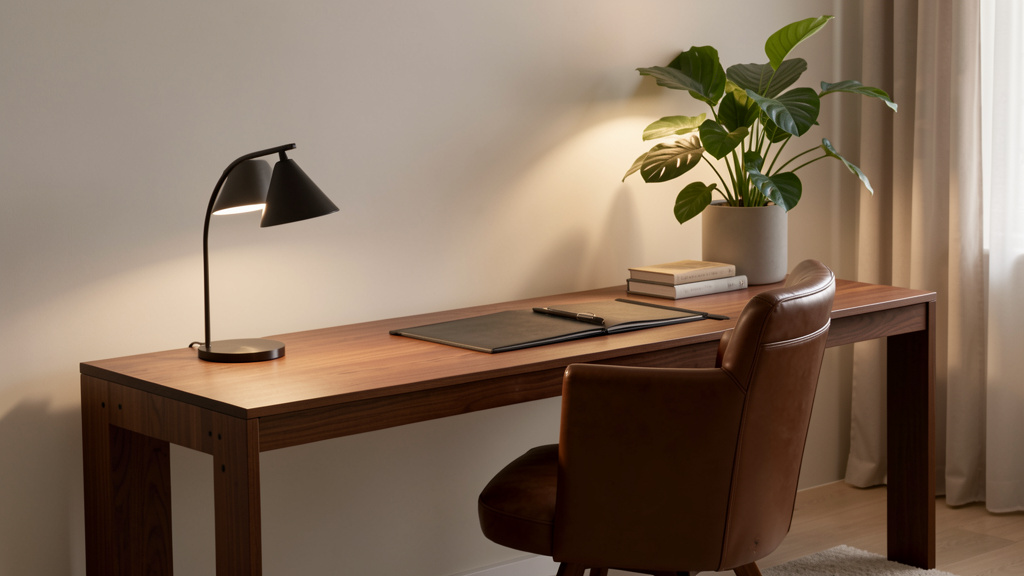
Move beyond sterile corporate clones and cluttered craft corners. Discover a proven framework to design a workspace that commands respect on video calls while cradling your soul after hours—where every object has purpose, every detail tells your story, and productivity flows naturally from intentional design.
For too long, the home office has been trapped in a false dichotomy: the soulless corporate replica that feels like a prison of productivity, or the overly personal nook that undermines professional credibility the moment your camera turns on. What if you could dissolve this tension entirely? Imagine a workspace where morning light catches the edge of a handmade ceramic mug from your favorite local artisan, while your Zoom background projects calm competence. A space where the ergonomic chair supports your spine through marathon strategy sessions, and the framed map on the wall whispers of the journey that brought you here. Where your child’s drawing tucked beside your monitor isn’t clutter—it’s context. This isn’t an impossible ideal. It’s the achievable outcome of designing with deliberate harmony. In this comprehensive guide, we’ll walk you through a transformative framework informed by environmental psychology, ergonomics research, interior architecture principles, and observed adaptations across diverse professional settings—from remote corporate leaders to freelance creators in compact urban dwellings. We move beyond superficial inspiration boards to address the deeper architecture of space: how function, well-being, and authentic expression converge to create a workspace that actively elevates your daily experience. Whether you’re claiming a closet corner or redesigning a dedicated study, this guide provides nuanced strategies, adaptable solutions, and compassionate guidance for every constraint you face.
Introduction: Beyond the Binary of “Professional” vs. “Personal”
The evolution of the home office mirrors our collective journey toward redefining work itself. Early remote setups often mimicked corporate environments as psychological anchors in uncharted territory. Later trends embraced maximalist personalization, sometimes at the cost of functionality or professional perception. Today’s professionals—entrepreneurs building legacies, corporate leaders navigating hybrid models, creatives monetizing passion, caregivers balancing multiple roles—demand environments that honor complexity. They seek spaces that reduce cognitive load while fueling inspiration, project credibility without coldness, and adapt seamlessly to the rhythm of work and life.
Research in environmental psychology consistently demonstrates that environments reflecting authentic personal identity can significantly increase intrinsic motivation and reduce stress biomarkers. Simultaneously, studies in workplace design confirm that spaces optimized for task performance directly support output quality and sustained focus. This guide synthesizes established findings across disciplines to move beyond the tired debate of “professional vs. personal” toward a more sophisticated paradigm: integrated intentionality. The most effective home offices aren’t compromises—they’re carefully composed ecosystems where function and feeling coexist without conflict. This article introduces The Harmony Framework, a three-layered methodology designed to build resilience, adaptability, and deep satisfaction into your workspace. Before selecting a single paint swatch or desk accessory, we establish the non-negotiable foundation that makes authentic expression possible. This isn’t about rigid rules; it’s about empowering you to make confident, values-aligned decisions at every step.
The Harmony Framework: Building a Workspace That Works on Every Level
At the heart of a truly effective home office lies a structure that balances three critical dimensions: the non-negotiable foundation of physical well-being and workflow efficiency, the expressive layer of personal identity and emotional resonance, and the adaptive capacity to evolve with changing needs and seasons. Think of it as building a house: without a solid foundation, even the most beautiful decor feels unstable. Without personal expression, it remains a generic shell lacking soul. Without adaptability, it quickly becomes obsolete. The Harmony Framework ensures all three layers are addressed in intentional sequence, creating synergy rather than conflict. This methodology is designed to help transform not only spaces but also daily experiences—reducing decision fatigue, minimizing friction points, and fostering a sense of calm authority.
Layer 1: The Foundation – Function, Flow, and Well-Being
Before considering aesthetics, we establish the groundwork that supports your body, mind, and workflow. Neglecting this layer can contribute to chronic discomfort, distraction, and redesign regret. The Foundation layer answers critical questions: Where will focused work happen? How will your body be supported through hours of work? What environmental factors optimize your cognitive performance? This layer forms the invisible architecture upon which everything else rests.
Step 1: Zone Definition and Spatial Strategy
Your home office doesn’t require four walls to be effective. The key is intentional zone definition—creating psychological and physical boundaries that signal “work mode” to your brain and household. Begin by assessing your available space through three critical lenses:
- Primary Work Zone: The dedicated area for focused tasks (desk surface, chair, primary technology). This zone should be positioned away from high-traffic pathways, household noise sources, and visual distractions. Ideal placement allows you to face the room entrance (a principle from environmental psychology known as the “command position”), reducing subconscious anxiety by maintaining awareness of your environment.
- Secondary Support Zones: Areas dedicated to storage, reference materials, or transitional activities (a compact bookshelf for resources, a filing cabinet disguised as furniture, a comfortable chair for reading or phone calls). These zones should be within arm’s reach of your primary zone to minimize disruptive movement during deep work sessions.
- Buffer Zones: Transitional elements that separate work from home life. This could be a change in flooring texture (a specific rug), a room divider (bookshelf, folding screen, tall plant), or even a deliberate lighting shift. Buffer zones are critical for mental separation—especially in open-plan homes or multi-functional rooms.
Why this step is crucial: Without clear boundaries, work can bleed into personal life, potentially increasing stress and reducing productivity. The brain relies on environmental cues to shift states; ambiguous zones create constant low-grade cognitive conflict. Physical separation between work and living spaces has been associated with improved work-life balance metrics for remote employees.
How to do it correctly:
– For dedicated rooms: Position your desk diagonally opposite the door if possible, allowing visibility of the entrance while maintaining focus on your work surface. Avoid placing your back directly to the doorway. If windows are present, position your desk perpendicular to them to harness natural light without screen glare. Leave clear pathways around the desk for movement—minimum 24 inches on primary access sides.
– For shared spaces (living room, bedroom corner): Use furniture arrangement to create psychological separation. A bookshelf placed perpendicular to the main room acts as both visual barrier and additional storage. A folding screen with meaningful artwork provides instant separation when work begins and folds away cleanly afterward. Even a strategically placed tall plant (like a fiddle-leaf fig or bird of paradise) creates a living buffer zone.
– For micro-spaces (under-stairs nook, closet conversion, hallway alcove): Maximize vertical space with wall-mounted desks that fold flush when not in use. Install floating shelves above desk height for essential supplies. Ensure adequate ventilation and lighting to avoid a claustrophobic feel. Consider pocket doors or heavy curtains that seal the space visually when work concludes.
Common mistakes to avoid:
– Mistake: Placing your desk in a high-traffic corridor (e.g., facing a hallway where family members pass frequently).
Consequence: Constant visual interruptions fragment concentration. Each passing person triggers a micro-distraction, and research suggests it can take considerable time to fully regain deep focus after an interruption.
Fix: Reposition the desk to face a wall or a calming view (like a window with a pleasant outlook). If awareness of movement behind you is necessary for comfort, place a small convex mirror strategically to monitor the space without turning around.
– Mistake: Ignoring acoustic boundaries in open-plan homes.
Consequence: Background noise from household activities (dishwasher cycles, television, conversations) disrupts cognitive processing, particularly during complex tasks or video calls.
Fix: Incorporate sound-absorbing elements: a thick wool or jute rug under the desk area, heavy fabric curtains on nearby windows, acoustic panels disguised as framed art or fabric-wrapped boards. For immediate relief during critical work blocks, use noise-canceling headphones with ambient sound masking (brown noise or nature sounds).
Real-life example: In a common scenario, a graphic designer working within a compact studio apartment transformed a narrow alcove beside the kitchen. A wall-mounted, height-adjustable desk folds completely flat against the wall when not in use. A floor-to-ceiling bookshelf, painted to match the wall color, serves as both room divider and storage. A consistent color palette of soft greige walls, warm oak shelves, and black hardware creates visual cohesion. At day’s end, the desk folds away, bookshelf doors close, and the workspace visually disappears—reducing the mental load of “always being at work” and preserving the apartment’s primary function as a sanctuary.
Step 2: Ergonomic Anchoring – Your Body’s Non-Negotiables
Ergonomics is not a luxury reserved for corporate budgets; it is the bedrock of sustainable productivity and long-term health. Poor posture and repetitive strain can develop insidiously. The goal is dynamic comfort—supporting natural movement throughout the day, not just static perfection. This step addresses the physical dialogue between your body and your workspace.
Why this step is crucial: Musculoskeletal considerations are frequently cited in occupational health contexts. In home offices—where oversight is absent and “making do” is common—the importance of proactive ergonomic design increases. Thoughtful setup helps prevent discomfort, reduces fatigue, and preserves cognitive resources for actual work rather than discomfort management. Studies have shown that optimizing workstation setup can lead to notable reductions in discomfort and gains in self-reported productivity.
How to do it correctly: Begin with the “90-90-90 Rule” as a foundational starting point (adjustable to individual needs):
– Feet flat on floor (or stable footrest), knees bent at approximately 90 degrees, with thighs parallel to the floor.
– Hips positioned slightly higher than knees to maintain natural spinal curvature.
– Elbows bent at 90 degrees, close to the body, with wrists straight and neutral when typing or using a mouse.
– Top of primary monitor at or slightly below eye level (about 1-2 inches below), positioned approximately an arm’s length (20-30 inches) from your eyes to reduce neck strain and eye fatigue.
Essential adjustments by component:
– Chair: Prioritize adjustable lumbar support that aligns with the natural curve of your lower back. Seat depth should allow 2-4 fingers’ width between the back of your knees and the seat edge. Armrests (if used) should support elbows without causing shoulder hunching. Breathable mesh backs regulate temperature during long sessions. If your chair lacks adjustments, a lumbar roll (even a rolled towel secured with elastic) provides critical lower back support.
– Desk height: Standard fixed-height desks range from 28-30 inches. When seated correctly, your forearms should rest parallel to the floor with shoulders relaxed. For standing work, elbows should remain at 90 degrees with wrists neutral. If using a standing desk, alternate positions every 30-60 minutes. Start with short standing intervals and gradually increase tolerance. Anti-fatigue mats are recommended for standing sessions—they encourage subtle weight shifts that improve circulation.
– Monitor setup: Use a monitor arm to achieve ideal height and reduce desk clutter. Arms allow precise positioning and free up valuable surface area. If using a laptop as your primary screen, always pair it with an external keyboard and mouse. Elevate the laptop screen to eye level using a stable riser, stack of books (secured with non-slip mat), or dedicated laptop stand. Avoid working long-term with the screen below eye level.
Common mistakes to avoid:
– Mistake: Using a dining chair, armchair, or sofa for daily work.
Consequence: Lack of lumbar support and improper seat depth can lead to slouching and discomfort.
Fix: Even a budget-conscious office chair with basic height adjustment, tilt tension, and lumbar support represents a meaningful investment. Look for certified refurbished models from reputable dealers. If temporary, add a lumbar cushion and ensure feet are fully supported.
– Mistake: Placing the monitor too low (e.g., laptop on desk surface) or too high (stack of unstable books).
Consequence: Constant downward or upward gaze strains cervical vertebrae and shoulder muscles. Screen glare from improper angle causes squinting and eye fatigue.
Fix: Use a stable, purpose-built monitor stand or riser. For laptops, a docking station with elevated screen placement solves multiple issues simultaneously. Test positioning: close your eyes, relax your neck, then open them—your gaze should land naturally on the top third of the screen.
Budget-conscious implementation spectrum:
– Ideal investment path: Fully adjustable ergonomic chair, electric sit-stand desk with memory presets, dual monitors on articulated arms, anti-fatigue mat.
– Strategic budget approach: Certified refurbished ergonomic chair, desktop riser converter for existing desk, single high-quality external monitor with stable stand, lumbar support cushion, footrest. Prioritize chair and monitor positioning—these impact comfort most directly.
– Immediate emergency protocol: Rolled towel secured behind lower back for lumbar support, stack of sturdy, hardcover books (secured with non-slip shelf liner) to elevate laptop screen, timer app set to remind you to stand, stretch, and shift position every 25 minutes (Pomodoro technique), rolled yoga mat as temporary anti-fatigue surface.
Step 3: Environmental Optimization – Light, Air, and Atmosphere
Your environment silently shapes cognitive performance, mood, and physiological rhythms. This step addresses the invisible factors that impact alertness, visual comfort, and emotional state throughout the workday. These elements require no major renovation but yield disproportionate returns in well-being and focus.
Lighting strategy: Light is a powerful environmental lever for regulating circadian rhythm and visual comfort.
– Natural light: Position your primary work surface to receive indirect natural light. Place your desk perpendicular to windows whenever possible. North-facing light provides soft, consistent illumination without harsh shadows. South-facing light is brighter and warmer but requires adjustable blinds or shades to manage intensity and glare. Avoid sitting with your back to a window (causes screen glare) or directly facing it (creates harsh contrast).
– Task lighting: Essential for reducing eye strain. Use an adjustable LED desk lamp with a color temperature range of 3000K (warm white) to 4000K (neutral white). Position the lamp so light falls on your work surface (notebook, documents) without casting shadows on your screen or creating glare. Avoid placing task lights directly behind your monitor.
– Ambient lighting: Layer light sources to reduce contrast between your bright screen and a dark room—a major cause of digital eye strain. A floor lamp with a warm bulb (2700K-3000K) in a corner provides gentle fill light. Dimmable overhead fixtures allow adjustment throughout the day. For video calls, ensure even, shadow-minimizing light on your face—position a soft light source slightly above and in front of you.
Air quality and thermal comfort:
– Maintain room temperature between 68-72°F (20-22°C) for optimal cognitive function. Individual preferences vary; use a small desk fan or personal heater for micro-adjustments.
– Introduce air-purifying plants proven effective in controlled studies: snake plant (Sansevieria), peace lily (Spathiphyllum), or ZZ plant (Zamioculcas zamiifolia). These thrive in typical office light and require minimal care. Place one medium-sized plant per 100 square feet of space.
– Open windows for 10 minutes each morning to refresh indoor air, especially in tightly sealed modern homes. Consider a compact HEPA air purifier if allergies or urban pollution are concerns.
– Maintain humidity between 40-60% with a small desktop humidifier during dry winter months or in air-conditioned environments to prevent dry eyes and respiratory irritation.
Acoustic environment:
– Identify primary noise sources (HVAC hum, street traffic, household activity) and implement targeted mitigation. Thick rugs with dense pads absorb footfall and ambient noise. Heavy curtains on windows reduce external sound penetration. Bookshelves filled with books act as natural sound diffusers.
– For focused work blocks, use brown noise (deeper than white noise) through headphones or a dedicated machine—it effectively masks human speech and irregular sounds. Apps like Noisli or myNoise offer customizable soundscapes.
– For video calls, a directional microphone (like a boom mic) significantly improves audio clarity by isolating your voice and minimizing background noise pickup compared to built-in laptop mics.
Why this step is crucial: Comprehensive studies on office environments indicate that optimizing lighting, ergonomics, and air quality can lead to marked reductions in headaches, eye strain, and musculoskeletal discomfort. These factors directly preserve cognitive resources—when your body isn’t fighting discomfort, your mind is free to create, analyze, and connect.
Common mistake: Relying solely on harsh overhead fluorescent or LED panel lighting.
Consequence: Creates high-contrast shadows, screen glare, and visual fatigue. Cool-white overheads (5000K+) may disrupt circadian rhythm if used extensively in evening hours.
Fix: Create a “light triangle” with three layered sources: ambient (overhead dimmed to 30% or warm floor lamp), task (adjustable desk lamp focused on work surface), and accent (small LED strip behind monitor to reduce screen-to-room contrast). For evening work, shift all light sources to warmer temperatures (under 3000K) to support natural wind-down.
The Fundamental Principle: A workspace that honors your body’s physiological needs and environmental sensitivities doesn’t merely prevent discomfort—it actively fuels sustained cognitive performance, emotional resilience, and a profound sense of being cared for within your own domain.
Layer 2: The Expression – Weaving Identity into Function
With the Foundation securely in place, we turn to the layer that transforms a functional space into a meaningful sanctuary: intentional personal expression. This is where your home office becomes uniquely yours—a reflection of your journey, values, and aspirations. However, expression without strategy leads to visual clutter, inconsistent messaging, or anxiety about professional perception. The goal is curated authenticity—selecting elements that resonate deeply while maintaining coherence and purpose. This layer answers the question: How does this space tell my story without distracting from my work?
Step 1: Define Your Core Narrative
Before adding a single decorative item, clarify the intentional story you want your space to communicate—both to yourself and to others who may see it (clients, colleagues, family). This isn’t about conforming to external trends; it’s about aligning your environment with your internal compass. Spend 15 minutes journaling responses to these prompts:
– What three words should describe the feeling of this space? (e.g., “calm, inspired, grounded” or “energetic, precise, welcoming”)
– What objects, colors, or textures genuinely energize or comfort you? (Be specific: “the weight of my grandfather’s compass,” “the texture of raw linen,” “the color of sage after rain”)
– What does “professional” authentically mean within your field and role? (For a therapist: warm, trustworthy, serene. For an engineer: precise, organized, innovative. For a writer: contemplative, layered, evocative.)
– What memory or milestone deserves quiet acknowledgment in this space? (A location that shaped your career path, a mentor’s advice, a personal triumph)
Why this step is crucial: A space without intentional narrative can feel disjointed and draining. Research in environmental psychology suggests that environments reflecting personal values and identity can significantly increase intrinsic motivation and reduce stress biomarkers. When your surroundings resonate with your authentic self, decision fatigue decreases because every element feels “right.” Conversely, spaces that feel imposed create subtle cognitive dissonance that accumulates over time.
How to do it correctly: Create a physical or digital “mood board” as your design compass. Collect images (from magazines, Pinterest, personal photos), fabric swatches, paint chips, and object photos that evoke your desired feeling. Group them visually. Notice patterns—do you consistently gravitate toward earthy textures and organic shapes? Crisp lines and monochromatic schemes? Warm wood tones and handcrafted elements? This pattern recognition becomes your authentic palette, shielding you from irrelevant trends. Refine your board until it feels cohesive and emotionally resonant. Keep it visible during your design process as a touchstone for decisions.
Real-life example: In one observed adaptation, a financial consultant transitioning to independent advisory work wanted his home office to convey stability and approachability for client video calls while honoring personal history. His core narrative emerged as “Rooted in tradition, forward-thinking in service.” He selected a rich walnut desk (nod to traditional craftsmanship), paired with a modern mesh ergonomic chair (symbolizing contemporary client focus). He displayed a framed vintage map of his hometown beside a small, thriving succulent garden in handmade ceramic pots (representing growth rooted in place). The color palette blended warm wood tones, charcoal gray textiles, and accents of deep green. During client calls, the background communicated quiet confidence; at the end of the day, the space felt deeply personal and restorative.
Step 2: The Art of Curation – Selecting Meaningful Objects
Personalization thrives on quality over quantity. Each item should earn its place through function, emotional resonance, or aesthetic contribution. Apply the “Triple Filter” test rigorously to every potential addition before it enters your space:
1. Functional Filter: Does it serve a clear purpose that supports your work? (e.g., a beautiful ceramic pen holder that organizes while adding texture; a woven basket that conceals charging cables)
2. Emotional Filter: Does it spark genuine connection, joy, or inspiration for you? (e.g., a small stone from a meaningful hike, a photo of your team celebrating a milestone, a quote printed on handmade paper)
3. Aesthetic Filter: Does it align with your core narrative and established color/texture palette? (Does its scale, color, and material feel harmonious with existing elements?)
Why this step is crucial: Visual clutter is a documented cognitive drain. Neuroscience research using fMRI scans has shown that multiple visible objects compete for neural attention, potentially reducing focus capacity and increasing stress responses. Curated spaces free mental bandwidth for actual work. Furthermore, intentional curation prevents the “background anxiety” of video calls—knowing every visible element has been chosen with purpose eliminates worry about perception.
How to do it correctly:
– For walls: Choose 1-3 intentional focal points. A single large-scale piece of art you genuinely love. A curated gallery wall of 3-5 frames (mixing personal photos, meaningful art prints, and perhaps a subtle credential like a degree or certification—framed consistently). A functional element like an elegantly designed pegboard painted in a coordinating color, holding frequently used tools with visual appeal.
– For surfaces: Limit desk items to true essentials (monitor, notebook, lamp, one intentional personal item). Use trays, boxes, or drawer organizers to corral small items (paper clips, USB drives, sticky notes). The “desktop reset” ritual at day’s end—clearing all non-essential items—creates psychological closure and a fresh start each morning.
– For shelves: Apply the “rule of thirds” visually: approximately one-third books (arranged thoughtfully—by color, size, or subject), one-third functional items (attractive storage boxes, plants), one-third personal artifacts (travel souvenirs, family photos in consistent frames). Vary book orientation (some vertical, some horizontal) to create visual rhythm. Leave intentional negative space—empty areas are not wasted space; they provide visual rest.
Common mistakes to avoid:
– Mistake: Displaying every souvenir, award, or children’s artwork.
Consequence: Visual chaos that distracts during deep work and creates anxiety during video calls. Overwhelming personal items can also blur professional boundaries for household members.
Fix: Implement a rotation system. Store most meaningful items in a dedicated “memory box.” Display only the 3-5 most significant items at a time. Rotate seasonally or quarterly—this keeps the space feeling fresh and allows different memories to be honored over time. For children’s art, select one current favorite piece to display in a uniform frame; photograph others for a digital album.
– Mistake: Choosing decor that clashes with your Foundation layer (e.g., a dark, visually heavy desk in a small room with low natural light).
Consequence: The space feels oppressive, cramped, or energetically draining, counteracting the well-being established in Layer 1.
Fix: Ensure personal items complement the functional setup. In a dim corner, choose lighter-colored frames or objects with reflective surfaces (glass, polished wood) to bounce available light. A light-colored desk with personal photos in bright, consistent frames can visually lift a challenging space.
Budget-friendly curation spectrum:
– Ideal expression path: Commission a local artist for a custom piece reflecting your narrative. Invest in archival-quality framing for meaningful photos or documents. Source handmade pottery or textiles from artisans whose stories resonate with you.
– Thoughtful budget approach: Frame children’s artwork or personal sketches in matching, affordable frames from discount stores. Create a digital photo frame that cycles through a curated collection of meaningful images (set to change slowly, avoiding distraction). Thrift vintage maps, botanical prints, or books with beautiful covers that align with your interests. Use washi tape to create a temporary, removable “gallery” of postcards or small prints on a designated wall section.
– Immediate emotional anchor: Print a high-resolution image of a place that genuinely inspires you (a forest path, ocean horizon, mountain peak) on quality paper and frame it simply. Place a single meaningful object on your desk—a smooth stone from a favorite beach, a small plant you commit to caring for, a vintage key symbolizing opportunity. Quality of connection outweighs monetary value.
Step 3: Color and Texture – The Silent Communicators
Color psychology is often oversimplified, but its true power lies in personal association, cultural context, and layered application. Your palette should support your work style, emotional needs, and the architectural realities of your space. Texture adds sensory depth and visual interest, making a space feel lived-in and sophisticated.
Developing your intentional palette:
– Base color (60% of visual field): Walls, large furniture pieces, flooring. Choose neutral tones that provide a calm backdrop: soft whites with warm undertones (avoid stark cool whites), warm greiges, light taupes, or very pale earth tones. These colors maximize perceived space, reflect available light, and reduce visual fatigue. Test paint samples on your actual wall and observe at different times of day—lighting dramatically alters perception.
– Secondary color (30% of visual field): Upholstery (chair, rug), window treatments, larger textiles. Introduce a color that supports your desired emotional state: sage green for tranquility and focus, warm terracotta for grounded energy, soft navy for depth and professionalism, muted olive for earthy calm. This layer should feel harmonious with your base.
– Accent color (10% of visual field): Decorative objects, art details, small accessories. Use sparingly for intentional pops of personality: mustard yellow for creative spark, deep burgundy for richness, charcoal for sophistication. Limit to one or two accent colors to maintain cohesion.
Texture layering for sensory richness: Combine materials to engage multiple senses and add depth:
– Smooth/Reflective: Glass desk surface, lacquered wood, ceramic mug, metal lamp base
– Textured/Natural: Woven seagrass basket, linen curtain, raw wood shelf, stone paperweight
– Soft/Tactile: Wool rug, velvet chair cushion, chunky knit throw, felt desk pad
Why this step is crucial: Color and texture directly influence physiological and psychological states. Some research suggests contextual color associations may influence task performance, though personal and cultural associations often outweigh generalized findings—what feels “calming” to one person may feel “cold” to another. Texture provides critical sensory feedback; smooth surfaces feel efficient, while textured elements add warmth and humanity. Layering textures prevents a space from feeling sterile or flat.
Real-life example: In a documented adaptation, a novelist working in a north-facing room with limited natural light deliberately crafted her palette to counteract the coolness. Her base was a warm white with subtle beige undertones to maximize light reflection without sterility. Secondary color was deep forest green in her ergonomic chair’s fabric and a vintage wool rug—evoking the forests where she finds writing inspiration. Accent colors were unlacquered brass (lamp, frame details) for warmth that patinas over time. Texture mix included a smooth marble desk organizer, a rough-hewn wooden bowl for pens, a chunky oatmeal-colored knit throw on her reading chair, and smooth ceramic planters. The result felt intentionally cozy yet professionally put-together—a space that nurtured creativity without inducing drowsiness.
Color Palette Guide for Common Work Contexts
| Primary Work Context | Recommended Base Palette | Secondary Color Suggestions | Accent Color Ideas | Rationale & Application Tips |
|—————————|——————————-|—————————–|——————–|———————————————————————————————|
| Creative/Design Fields | Soft White, Light Warm Gray | Sage Green, Sky Blue, Clay | Mustard, Terracotta | Calm base allows creative energy to flow; earthy accents stimulate without overwhelming. Use textured papers, fabric swatches as decor. |
| Analytical/Detail-Oriented| Warm Gray, Beige, Oatmeal | Navy, Charcoal, Deep Teal | Crimson, Gold Leaf | Neutral base minimizes distraction; deep colors promote focus and precision. Incorporate subtle metallic accents for visual interest without glare. |
| Client-Facing (Video) | Warm White, Greige, Light Oak | Soft Blue, Muted Sage | Blush, Walnut | Projects warmth and trust; avoids harsh contrasts that distort on camera. Test background with your actual video setup—what looks good in person may cast shadows on screen. |
| High-Energy/Startup Mindset| Light Wood Tones, Off-White | Charcoal, Deep Teal | Coral, Citrus | Balanced energy: calm base prevents visual fatigue; vibrant accents maintain momentum. Use accents sparingly in small doses (pen cup, notebook cover). |
| Healing/Therapeutic Roles | Warm White, Soft Clay | Muted Lavender, Sea Glass | Cream, Driftwood | Evokes safety, calm, and non-judgment. Prioritize soft textures (wool, linen) and organic shapes. Avoid sharp angles or high-contrast elements. |
Common mistake: Using too many accent colors or competing patterns.
Consequence: The space feels chaotic, immature, or visually exhausting. During video calls, a busy background distracts viewers from your message.
Fix: Commit to one accent color family (e.g., all warm tones: coral, terracotta, mustard) and vary shades and textures within that family. If using patterned textiles (rug, pillow), ensure they incorporate your base and secondary colors to maintain cohesion. When in doubt, remove one item—negative space is a powerful design element.
The Fundamental Principle: Personal expression in your workspace is not decoration—it is environmental storytelling. Every curated object, color choice, and texture layer communicates your values, honors your journey, and silently reinforces your professional identity without a single word spoken.
Layer 3: The Evolution – Designing for Change
A static office becomes obsolete. Careers pivot, families grow, seasons shift, and personal tastes evolve. The Evolution layer builds intentional flexibility into your design, transforming your workspace from a fixed setup into a dynamic partner in your professional journey. This layer answers: How does this space grow with me?
Step 1: Modularity and Multi-Functionality
Choose furniture, storage, and systems designed for adaptation. Flexibility reduces future friction and honors the reality that your needs will change.
– Desks: Wall-mounted or folding desks free up floor space when not in use—critical for micro-spaces or multi-functional rooms. Height-adjustable desks (manual crank or electric) accommodate sitting, standing, or even perching positions as your body’s needs change throughout the day or over years. Look for models with cable management trays to keep wires tidy during adjustments.
– Storage: Modular shelving systems (like cube organizers or configurable wall units) can be reconfigured, expanded, or repurposed as needs shift. Use uniform, labeled bins or boxes within shelves for easy identification and rotation (e.g., “Q3 Projects,” “Tax Documents,” “Client Onboarding”). For shared spaces, color-code bins by user or project.
– Technology integration: Implement cable management systems from day one: under-desk trays, velcro ties, adhesive cord clips. Label cords at both ends with removable tags. Choose devices with universal compatibility (USB-C ports, Bluetooth 5.0+) to future-proof against rapid tech changes. A dedicated charging station (a small tray with labeled ports) prevents the “cord jungle” on your desk.
Why this step is crucial: Professionals often experience role or responsibility shifts. A flexible space reduces redesign costs, minimizes disruption during transitions, and supports evolving workflows. Modularity also accommodates life changes—adding a second monitor for a new project, creating space for a collaborator during a temporary partnership, or adapting for physical needs during recovery periods.
Real-life example: In a shared-office scenario observed across multiple households, two consultants sharing a compact home office implemented a highly modular system. They chose a large L-shaped desk with a central visual divider: a tall, narrow bookshelf holding shared reference materials and a thriving snake plant. Each had their own monitor arm, keyboard tray, and personalized desk zone. Storage was color-coded: navy bins for one partner’s projects, terracotta for the other’s. When one worked late, the other could use the adjacent armchair for reading without disrupting the primary workspace. During tax season, they temporarily added a rolling cart for documents, which stored neatly in a closet afterward. Their system honored individuality while fostering shared functionality.
Step 2: The Seasonal Refresh Ritual
Schedule quarterly “space audits” to reassess and refresh your environment in alignment with natural rhythms and changing needs. This ritual prevents stagnation and maintains intentional connection to your space.
– Spring (March-April): Deep clean surfaces, windows, and tech equipment. Declutter digital files and physical supplies—recycle outdated documents, donate unused supplies. Refresh plants: prune, repot, or introduce a new seasonal plant (like a flowering kalanchoe). Reassess lighting as daylight hours increase; adjust blind schedules or lamp usage.
– Summer (June-July): Adjust window coverings for increased sunlight intensity. Swap heavy wool rugs for lighter jute or cotton options. Introduce cooling elements: a small desktop fan, lighter-colored textiles (linen chair pad), or a bowl of cold water with citrus slices for subtle aroma. If possible, temporarily relocate your desk to capture a breeze or pleasant outdoor view.
– Fall (September-October): Add warmer lighting layers (lower color temperature bulbs in ambient lamps). Introduce cozy textures: a chunky knit throw on your reading chair, a velvet pillow. Incorporate seasonal elements mindfully—a small bowl of pinecones, a single branch with changing leaves in a vase. Review workflow systems before year-end project surges.
– Winter (December-January): Maximize available natural light (clean windows thoroughly). Add a small humidifier if indoor air becomes dry. Incorporate warm accent lighting (fairy lights in a glass jar, a salt lamp). Display one meaningful seasonal item (a small evergreen wreath, a special holiday ornament) without overwhelming your core aesthetic. Schedule mandatory breaks to step outside—even 5 minutes every hour prevents cabin fever.
Why this step is crucial: Seasonal changes significantly impact mood, energy levels, and circadian rhythms. Aligning your space with these natural cycles supports emotional well-being and prevents seasonal slumps. The ritual itself—taking 30 minutes quarterly to tend to your environment—is a powerful act of self-care that reinforces your commitment to a supportive workspace. It transforms maintenance from a chore into a mindful practice.
Step 3: Future-Proofing with Technology and Trends
Stay informed about evolving tools without chasing every fleeting trend. Focus on timeless integration principles that enhance function without dating your space.
– Cable management: Treat this as ongoing maintenance. Every new device added should include a plan for its cord. Use adhesive clips to route cables along desk legs, under-desk trays to hide power strips, and velcro ties to bundle related cords. Label both ends of critical cables (monitor, backup drive) with removable tags for easy troubleshooting.
– Lighting evolution: Smart bulbs (like Philips Hue or LIFX) offer unparalleled adaptability. Program routines that shift color temperature throughout the day: cool white (5000K) for morning focus sessions, neutral white (4000K) for afternoon work, warm white (2700K) for evening wind-down. This supports natural circadian rhythm without manual adjustment. For video calls, create a “presentation scene” with balanced, flattering light on your face.
– Acoustic adaptation: As remote collaboration remains prevalent, audio quality is non-negotiable. A dedicated USB microphone with a boom arm isolates your voice far better than built-in laptop mics. Position it slightly off-center to avoid plosive sounds (“p” and “b” pops). For households with variable noise, a compact white noise machine placed near the door masks intermittent sounds without disturbing your focus.
– Digital-physical integration: Designate a “landing zone” near your desk—a small tray or section of shelf—for items transitioning between digital and physical worlds (business cards to scan, handwritten notes to digitize, printed contracts to sign). This prevents piles from accumulating on your primary work surface.
Common mistake: Over-investing in niche technology that becomes obsolete quickly or creates visual clutter.
Fix: Prioritize universal compatibility and clean integration. Choose devices with strong resale value if trends shift. When evaluating new tech, ask: “Does this solve a current, recurring problem in my workflow?” If the answer is “maybe someday,” wait. Focus investments on elements that directly impact daily comfort and output quality—lighting, seating, and sound.
The Fundamental Principle: A home office designed for evolution remains a source of pride, productivity, and peace for years—not because it’s perfect today, but because it’s built to grow with intention, transforming from a mere workspace into a dynamic partner in your professional journey.
Navigating Common Frictions: Real Solutions for Real Challenges
Even with a solid framework, nuanced challenges arise. This section addresses specific friction points with empathetic, actionable strategies observed across diverse home office scenarios. These are not theoretical ideals—they are adaptable solutions for real human complexities.
“My Partner and I Share the Space—How Do We Blend Styles Without Compromise?”
This is one of the most frequent friction points. The goal isn’t compromise (which leaves both parties feeling diminished) but collaborative curation—finding synergy where individual expressions enhance rather than clash.
– Step 1: Individual Non-Negotiables Session. Sit separately and each list your top 3 non-negotiables for the shared space. Be specific: “I need my monitor at standing height,” “I must have my family photos visible during calls,” “I require absolute quiet between 9-11 AM.” Share lists without judgment.
– Step 2: Find the Unifying Thread. Identify overlapping values or elements: “We both want plants,” “We agree the space should feel calm,” “We both prefer wood tones over metal.” This becomes your shared foundation. If styles seem opposed (modern minimalist vs. vintage maximalist), look for a neutral anchor—like a consistent color family (all warm neutrals) or material (natural wood elements throughout).
– Step 3: Zone with Intention. Use area rugs to define individual territories under each desk section. Choose a large desk with distinct “sides” that can be personalized separately (different desk pads, personal items). Install task lighting specific to each zone (different lamp styles that share a base color). For walls, divide responsibility: one person curates the left wall, the other the right, with a central shared element (a large plant, a piece of art you both love).
– Pro Tip: Create a shared digital “inspiration board” (Pinterest board, shared Google Doc) where both add images anonymously for one week. Review together—look for unexpected overlaps. Often, the conflict is less about aesthetics and more about feeling unheard. The process of co-creation builds mutual respect that transcends decor.
“I Have Young Children—How Do I Maintain Professionalism While Honoring Family Life?”
Boundaries are essential, but rigidity creates household tension. The solution lies in structured flexibility—clear systems that respect both work demands and family dynamics.
– Physical Boundaries with Heart: Use a decorative room divider (a folding screen with nature art, a bookshelf filled with books) rather than a closed door when possible—it signals “work time” while maintaining visual connection. For video calls, position your camera to capture a curated background (a tidy bookshelf, a piece of art) rather than the entire room. Keep a “video call kit” nearby: a small tray with water, notebook, and a tidy cloth to quickly stage your shot.
– Visual Cues for the Household: Implement a simple signal system. A specific colored light outside the office door (green = available for quick needs, red = deep focus/do not disturb). For non-readers, use symbols: a happy face drawing = “Mom/Dad is working but can be interrupted for emergencies,” a sleeping moon = “Quiet time, please wait.” Practice these signals during non-work hours so children internalize them.
– Involving Children Respectfully: Designate a tiny “kid zone” within your office—a small table with coloring books and crayons for quiet time when you’re on non-critical calls. Frame one piece of their current artwork prominently on your desk or shelf. Explain: “This is my work space, just like your classroom. When the green light is on, I’m teaching my computer class. When it’s off, I’m all yours.” Reward respected boundaries with specific praise: “Thank you for waiting until my light turned green—that helped me finish my important work.”
– Emergency Protocol: Have a quiet activity box ready for true emergencies (sudden illness, urgent call). Include headphones with calming music, a special snack, and a favorite quiet toy. This isn’t bribery—it’s compassionate crisis management that preserves everyone’s dignity.
“My Budget is Extremely Limited—Where Should I Splurge vs. Save for Maximum Impact?”
Strategic allocation prevents wasted spending and builds momentum. Prioritize investments that impact daily physical comfort and core functionality—these yield exponential returns in well-being and productivity.
– Splurge Zone (Non-Negotiable Investments):
– Seating: Your body spends 8+ hours here daily. A properly adjusted ergonomic chair prevents chronic pain. Even a refurbished model with lumbar support and height adjustment is worth prioritizing.
– Task Lighting: Quality adjustable LED desk lamp reduces eye strain significantly. Look for flicker-free LEDs with adjustable color temperature.
– Desk Surface Stability: If writing or using multiple monitors, a solid, non-wobbly surface is critical. A sturdy secondhand desk refinished with paint or contact paper outperforms a flimsy new particleboard desk.
– Save Zone (Budget-Friendly Alternatives):
– Decorative Items: Thrift stores, Facebook Marketplace, and garage sales yield unique frames, vases, and textiles. DIY art: frame fabric scraps, children’s art, or print high-resolution nature photos.
– Storage Solutions: Repurpose household items: attractive baskets for supplies, shoeboxes covered in wrapping paper for drawer organizers, mason jars for pen holders.
– Wall Treatment: Removable wallpaper samples or large-scale art prints create focal points without permanent commitment. Washi tape creates temporary frames or geometric patterns.
– Smart Swap Strategy: Instead of buying new, refresh what you have. Sand and repaint a dated desk. Recover a worn chair seat with durable fabric. Replace dated hardware on shelves or cabinets. These projects cost little but yield high satisfaction and personal connection.
Budget Allocation Guide for Maximum Impact
| Category | Splurge Zone (Invest Here First) | Save Zone (Budget-Friendly Alternatives) | Why This Allocation Works |
|——————-|—————————————–|———————————————–|—————————————————————————————–|
| Seating | Refurbished ergonomic chair with adjustments | Add lumbar cushion to existing chair; use footrest for support | Prevents chronic pain—the highest ROI investment for daily comfort and long-term health |
| Desk | Solid wood or stable height-adjustable base | Refinish secondhand desk; use wall-mounted folding option | Stability reduces distraction; wobbling surfaces break focus constantly |
| Lighting | Adjustable LED task lamp (flicker-free) | Clip-on lamp + new warm LED bulb; thrifted vintage lamp | Directly reduces eye strain and headaches—the most immediate comfort upgrade |
| Storage | One modular shelving unit (configurable) | Repurposed crates, labeled cardboard boxes, woven baskets | Creates immediate visual order; reduces clutter stress without high cost |
| Personalization | One meaningful art piece or photo frame | DIY art, digital photo frame, framed fabric swatches | Provides emotional anchor; quality of connection outweighs monetary value |
| Technology | Cable management kit (trays, ties, clips) | Repurpose household items (binder clips for cord wraps) | Prevents daily frustration; creates clean, professional appearance instantly |
“I Work in a Very Small Apartment—How Do I Avoid Claustrophobia and Maintain Separation?”
Maximizing perception of space and implementing strong closure rituals are critical in compact environments.
– Optical Expansion Techniques: Place a large mirror opposite your primary light source (window or lamp) to reflect light and create depth illusion. Choose furniture with slender profiles and visible legs (makes floor space feel continuous). Use a monochromatic color palette for walls, large furniture, and flooring—light tones expand perceived space. Avoid visual “stops” like dark rugs that chop up the floor plane.
– Vertical Space Maximization: Install floating shelves high on walls for storage—draws the eye upward. Use wall-mounted desks that fold completely flat. Hang plants from ceiling hooks to add life without floor footprint. Mount monitors on arms to free desk surface area.
– Multi-Functional Furniture with Purpose: Choose pieces that serve dual roles without feeling compromised: an ottoman with hidden storage for blankets/supplies, a desk that converts to a dining surface, a Murphy desk that folds into a cabinet. Ensure transitions are smooth—frustrating mechanisms defeat the purpose.
– The Non-Negotiable Daily Reset Ritual: At the end of your workday, perform a consistent 5-minute closure sequence: clear all items from desk surface, fold away desk if possible, close laptop, dim or turn off task lighting, and say aloud: “Work is complete.” This ritual is more critical in small spaces—it creates psychological separation when physical separation is impossible. Without it, work permeates your entire living environment, increasing stress and reducing restorative rest.
Your Questions, Answered
Q: How do I choose a desk that will genuinely last for many years without breaking the bank?
A: Longevity in furniture selection hinges on material integrity and construction methods. Solid hardwoods like oak, maple, walnut, or cherry are known for durability and can be sanded and refinished multiple times. Avoid particleboard or MDF (medium-density fiberboard) for primary work surfaces; these are less resistant to moisture and wear. Engineered wood with real wood veneer over plywood is a durable mid-range option. Always inspect joinery: dovetail joints in drawers, mortise-and-tenon or dowel joints in frames signal quality over staples or nails. For height-adjustable desks, prioritize brands with robust warranties on motors and frames—this indicates confidence in mechanical longevity. Test stability in-store if possible: a quality desk should show minimal wobble even at standing height with weight applied. If sustainability matters, seek FSC-certified wood or verified reclaimed materials. Remember: a well-maintained secondhand solid wood desk often outlasts and outperforms a new cheaply made one.
Q: What’s the single most effective background for video calls that looks professional yet feels authentically me?
A: The ideal video background achieves three goals: visual interest without distraction, alignment with your professional brand, and technical reliability (no glare, motion blur, or backlighting issues). A curated bookshelf can be highly effective if executed intentionally: arrange books neatly (spines facing out, grouped by color or size for visual calm), include one or two subtle personal items (a small thriving plant like a succulent, a single framed photo turned slightly toward you), and ensure lighting illuminates your face evenly without casting shadows on the shelves. Avoid cluttered shelves, visible personal documents, or items with text/logos that distract viewers. Alternative strong options: a solid-color wall with one large-scale piece of meaningful art (abstract, landscape—avoid busy patterns), or a purpose-built “video wall” with removable wallpaper sample in a textured neutral tone. Critical technical step: Position your camera so windows are not directly behind you (causes backlighting/silhouetting). Test your setup with a colleague via a quick test call before important meetings—what looks perfect to you may have technical issues on camera.
Q: How many personal items is truly “too many” on my desk or visible in my office?
A: There is no universal number—it depends entirely on scale, placement, intentionality, and your professional context. Apply the “three-second glance test”: when you look at your desk or background for exactly three seconds, do your eyes land calmly on one or two meaningful items, or do they dart around feeling overwhelmed? For client-facing roles (consultants, therapists, executives), limit immediately visible personal items during calls to 2-3 small, intentional objects (a single family photo in a simple frame, a meaningful souvenir the size of your palm). In private workspaces, you can be more generous, but ensure items are deliberately placed, not scattered. Remember: empty space is a powerful design element. A clear desk surface reduces cognitive load significantly. Store less-frequently-used personal items in drawers or on shelves where they can be enjoyed without dominating your primary work zone. The goal is resonance, not accumulation—each item should earn its place through genuine meaning.
Q: I have to use a windowless room (like a converted closet or basement) as my office. How do I prevent it from feeling depressing or claustrophobic?
A: Yes, it’s absolutely possible to create a functional and uplifting space without windows—but you must intentionally compensate for the lack of natural light and connection to the outdoors. Prioritize high-quality, layered artificial lighting: combine ambient (ceiling fixture with dimmer), task (adjustable desk lamp with 3000K-4000K temperature), and circadian lighting (smart bulbs that shift from cool morning light to warm evening light). Place a large mirror strategically to reflect light from adjacent rooms when the door is open. Incorporate strong biophilic elements: multiple low-light tolerant plants (ZZ plant, snake plant, pothos), nature sounds via a small speaker (gentle rain, forest ambiance), and artwork featuring expansive landscapes or seascapes. Schedule non-negotiable breaks: set a timer to step outside for 5 minutes every 60-90 minutes—even on cloudy days, natural light regulates circadian rhythm. If possible, position your desk near the door to maintain a sense of connection to the rest of the home. Finally, use scent intentionally: a subtle essential oil diffuser with citrus (energizing) or cedarwood (grounding) can positively influence mood. The key is acknowledging the constraint and designing with intention rather than ignoring it.
Q: How can I incorporate my passion (like painting, playing music, or collecting) into my office without it taking over my professional space?
A: Designate a clearly defined “passion zone” within or adjacent to your office, with intentional boundaries around when it’s “active” versus “stored.” For visual arts: a rolling cart with locking wheels holds supplies and tucks neatly under the desk or behind a screen when not in use. Cover the cart with a cloth that matches your office palette for visual cohesion. For music: a wall-mounted guitar hanger keeps instruments accessible yet tidy; a compact keyboard stores vertically in a closet with a dedicated stand. For collections: display one rotating “featured item” on a small shelf or in a shadow box frame; store the rest in labeled archival boxes. The critical element is ritual: define specific times when the passion zone is active (e.g., “after 5 PM,” “during lunch breaks”). Use a visual cue like placing a specific item on your desk to signal the transition. This honors your whole self without allowing passion to dominate professional workflow. Remember: integrating passions thoughtfully can actually enhance creativity and problem-solving in your primary work—when boundaries are clear.
Q: I might sell or rent out this home within 1-2 years. What paint color and choices are safest for resale while still feeling personalized?
A: For neutral appeal that feels warm and intentional (not sterile), choose “greige” (a sophisticated blend of gray and beige) in a light to medium tone. Specific shades consistently recommended by real estate professionals and interior designers include Sherwin-Williams “Agreeable Gray” (SW 7029), Benjamin Moore “Revere Pewter” (HC-172), or “Edgecomb Gray” (HC-173). These colors provide a versatile backdrop that photographs well and appeals to broad tastes while avoiding the coldness of pure gray or the dated feel of yellow-toned beiges. Avoid stark whites (which highlight every wall imperfection), bold colors (navy, forest green—too polarizing for quick resale), and dark accent walls. For personalization without permanent changes: use removable wallpaper samples as art, large-scale framed prints that can travel with you, or area rugs that define zones. If renting, confirm lease terms—but most landlords permit painting with agreement to repaint upon moving out. Remember: a well-styled, functional home office adds significant value to a property; focus on making the space feel purposeful and serene rather than generic. Potential buyers envision themselves working there.
Q: What are the most effective, non-intrusive ways to reduce eye strain from all-day screen use?
A: Address eye strain through a multi-layered approach targeting environment, habits, and technology. First, optimize lighting: eliminate glare on screens by positioning monitors perpendicular to windows, using an anti-glare screen protector, and ensuring ambient light matches screen brightness (avoid working in a dark room with a bright screen). Second, implement the 20-20-20 rule religiously: every 20 minutes, look at something 20 feet away for at least 20 seconds—set a gentle timer app to remind you. Third, adjust screen settings: enable night mode/blue light filter after sunset (warmer color temperature), increase text size to avoid squinting, and set brightness to match your ambient light (not maxed out). Fourth, ensure proper monitor distance (arm’s length) and height (top of screen at/below eye level). Fifth, consciously blink more often—screen focus reduces blink rate significantly, causing dryness. Keep preservative-free artificial tears nearby. Finally, consider computer glasses with a mild blue light filter if strain persists after environmental adjustments—consult an optometrist for personalized advice. Small consistent habits yield greater relief than any single expensive solution.
Q: Is professional soundproofing worth the investment for my home office, or are there smarter alternatives?
A: Full structural soundproofing (adding mass-loaded vinyl, decoupling walls, sealing gaps) is rarely cost-effective for home offices and often requires landlord permission if renting. Instead, focus on highly effective, accessible strategies: sound absorption (adding materials that soak up sound waves) and sound masking (covering disruptive noises with consistent, non-distracting sound). For absorption: install thick rugs with dense pads, hang heavy fabric curtains on windows and doors, add upholstered furniture (even a small armchair), and mount fabric-wrapped acoustic panels disguised as art. For masking: use a dedicated white noise machine placed near the door, a small fan, or ambient sound apps played softly through a speaker. For video calls specifically, a directional USB microphone positioned close to your mouth captures your voice clearly while minimizing background noise pickup far better than built-in laptop mics. Assess your specific noise sources first—a barking dog requires different solutions than household chatter—but absorption and masking solve most common home office acoustic challenges at a fraction of soundproofing costs.
Q: How can I keep my home office feeling inspiring and fresh without constantly redecorating or spending money?
A: Build inspiration into adaptable systems rather than relying on decor changes. Create a “rotation station”: a small shelf or tray where you swap one meaningful item monthly (a new postcard from a trip, a seasonal flower in a simple vase, a quote printed on nice paper). Use digital tools intentionally: a smart display showing rotating artwork from museums or nature photography; a tablet mounted discreetly displaying calming nature scenes or your own photo library. Change lighting temperature with smart bulbs to match seasons (cooler tones in summer for alertness, warmer tones in winter for coziness). Most powerfully, maintain a “win jar”—a beautiful container where you drop notes about professional accomplishments, positive client feedback, or moments of growth. On challenging days, reading three notes reignites motivation without changing a single physical element. True inspiration flows from purposeful connection to your work’s meaning, not just visual novelty.
Q: What is the single most common and damaging mistake people make when setting up a home office?
A: The most pervasive error is prioritizing aesthetics or immediate convenience over foundational ergonomics and spatial strategy. People spend hours selecting a paint color or sourcing a trendy desk lamp but sit in a dining chair for months, potentially leading to discomfort that becomes normalized. Or they place their desk in a high-traffic hallway “because the light is good,” guaranteeing constant interruptions that fragment focus and increase stress. This mistake stems from underestimating how deeply environment shapes daily experience. Always begin with Layer 1 of The Harmony Framework: zone definition (psychological and physical boundaries), ergonomic anchoring (body support), and environmental optimization (light, air, sound). A functional, comfortable space that supports your body and workflow will always feel more “professional” and “personal” than a stylish but impractical one. Remember: your office exists to serve your work and well-being—not the other way around. Invest energy where it yields compound returns: in the invisible architecture that makes everything else possible.
Conclusion and Your Next Step
Designing a home office that harmonizes professionalism and personal expression is not a destination to reach, but a practice to cultivate—a daily commitment to honoring both your career ambitions and your human needs. As you implement The Harmony Framework, carry these three anchors with you:
1. Foundation First: Never sacrifice ergonomics, spatial strategy, or environmental comfort for style. These elements form the invisible support system that makes authentic expression sustainable. A space that cares for your body allows your mind to create freely.
2. Curated Expression: Let your space tell your unique story through intentional, meaningful choices—not accumulation. Quality of connection outweighs quantity of objects. Every item should resonate with purpose, reducing cognitive load while nurturing your spirit.
3. Embrace Evolution: Schedule quarterly check-ins to refine your space. Celebrate what’s working, adjust what isn’t, and welcome change as a sign of growth. A static office becomes a cage; a dynamic one becomes a compass.
The 24-Hour Rule
Within the next day, take one small, concrete action that reinforces your Foundation layer. This is not about overhauling your entire space—it’s about building momentum through intentional micro-action. Choose one:
– Adjust your chair height so your feet rest flat on the floor (or a stable footrest) and your elbows form comfortable 90-degree angles when typing.
– Reposition your desk lamp to eliminate glare on your screen, creating soft, shadow-minimizing light on your work surface.
– Place one small, thriving plant (like a snake plant or pothos) on your desk to improve air quality and provide a living focal point of calm.
– Perform a 5-minute “desktop reset”: clear all non-essential items, wipe the surface, and arrange only what you need for tomorrow’s first task.
This tiny step is powerful because it shifts you from passive inhabitant to active curator. Perfection is not the goal; progress is. Momentum builds confidence, and confidence fuels further refinement.
The Big Picture
Your home office is far more than a backdrop for work—it is a physical manifestation of how you honor the integration of your professional journey and personal humanity. In a world that often demands we compartmentalize these essential parts of ourselves, creating a space where they coexist peacefully is a meaningful act of self-respect. It communicates to yourself and others that your work matters and your well-being matters. That your contributions to the world are valuable and your story is worth telling. As you refine this environment with intention, you are not merely optimizing square footage; you are cultivating a sanctuary that fuels your highest contributions while nurturing the person you are when the laptop closes. That balance—achieved not through compromise, but through conscious design—is the ultimate professional advantage and personal peace. Your command center awaits. Build it with care.
Explore Our Complete System:
[The Ergonomic Home Office: A Step-by-Step Setup Guide] | [Lighting Your Workspace: From Glare to Glow] | [Digital Declutter: Organizing Your Virtual Office] | [Sustainable Home Office: Eco-Friendly Choices That Last] | [Home Office on a Budget: Smart Swaps Without Sacrifice] | [The Psychology of Color in Your Workspace] | [Adapting Your Home Office for Multiple Users]